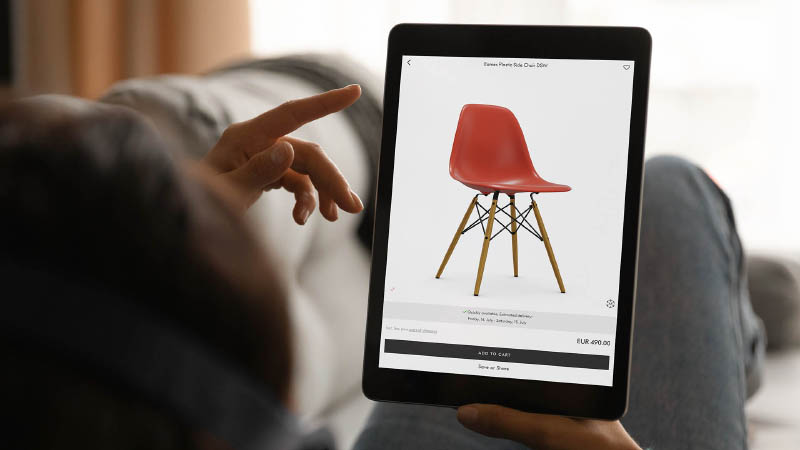

What is a product configurator?
A product configurator is an interactive software tool that lets customers or sales teams build and visualize a unique version of a product in real time. Put simply, it turns a static list of product options into a guided, self-service configuration experience, sometimes called product configuration software or a configurator solution.
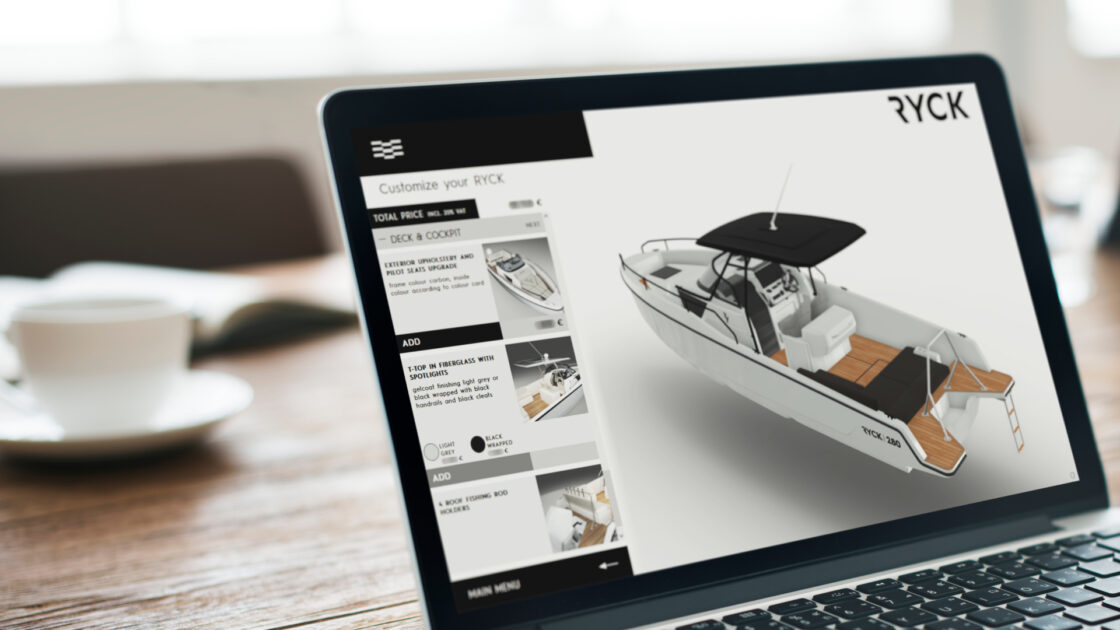
Customers choose from a combination of size, material, components, features, color and accessories, and increasingly see the result in real-time 3D or AR rather than static photos, letting them rotate and preview their exact configuration before they buy. Think of it as a digital assistant that guides users through the product customization process while ensuring technical feasibility, accurate pricing and alignment with business rules.
Product configurators transform what could be a confusing maze of options into an experience where customers feel empowered, engaged and inspired by the possibilities. They are used in both B2C and B2B contexts to streamline the product configuration process, reduce errors and deliver a smoother customer experience, whether online or in-store.
How does a product configurator work?
At its core, the functionality of a product configurator comes down to two things working together: a user interface for the customer and a rules engine running quietly behind the scenes.
How a product configurator works
When someone opens a product configurator solution, they are guided through the available options for each configurable part one step at a time. Behind that simple interface, a rule-based product configurator constantly checks which combinations are actually valid. Choose a certain material and the system might disable a specific option that it does not work with. This is how a product configurator prevents customers from building something that cannot actually be manufactured. As each option is selected, the product updates on screen so shoppers can see and, where AR is available, visualize their exact configuration in context before deciding.
Configure Price Quote
Some product configurators go further and connect to pricing and quoting logic through a CPQ, or Configure, Price, Quote, system. As selections are made, the price updates automatically. Once the configuration is finalized, the tool can generate a formal quote for a sales rep to follow up on, or in a direct sales context, send the configuration data straight to the “Add to cart” page so the order goes through without any manual re-entry.
What are the different types of product configurators?
Not all configurators serve the same purpose. The type of product configurator depends on the nature of the product as well as the customer experience goals. To make things simple, let’s use furniture examples throughout, a category everyone is familiar with and one which offers a range of product complexity.
Single product configurators
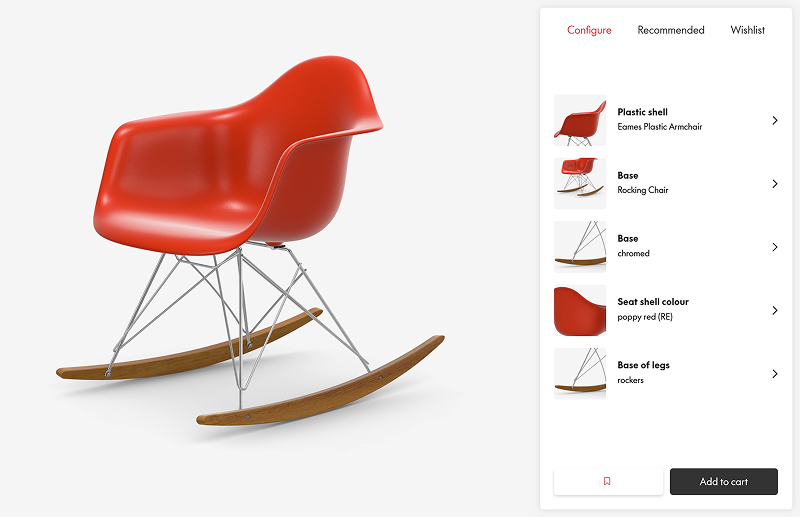
The customer can choose from a variety of predefined options, such as shape, style, material, finish or color, for each configurable part of the product. For example, a configurable chair where the user selects the seat shape, leg style and foot finish. This is the most common types of configurator.

Modular configurators
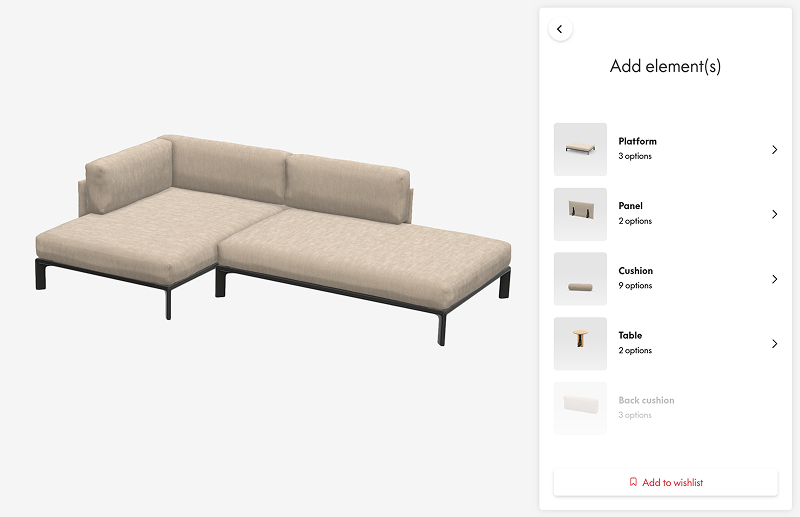
The customer can build a product made up of multiple components that can be combined in different ways. Take the example of a sofa: the customer selects individual modules (corner seat, chaise longue, middle sections, cushions…) and arranges them to fit their space and needs. Behind the scenes, product logic ensures the configuration is technically valid and compatible.
Parametric configurators
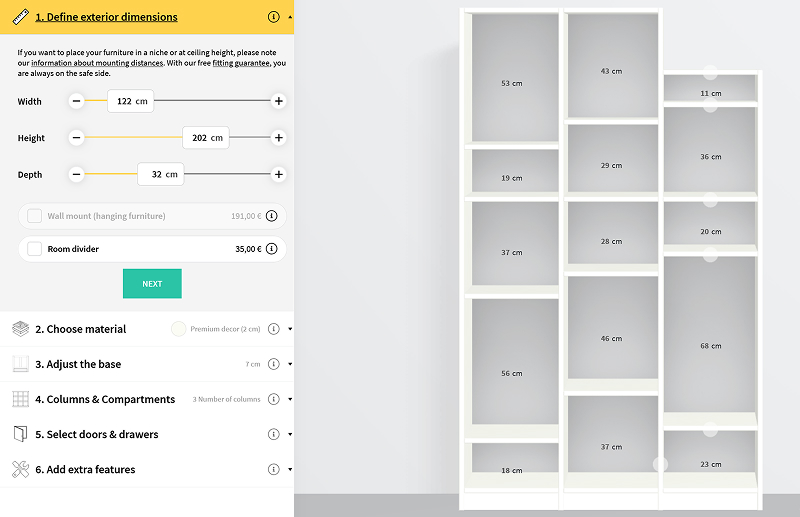
Unlike traditional configurators based on fixed choices, parametric configurators allow you to define product dimensions or parameters freely, within predefined limits. A common furniture example is custom shelving, doors or windows, where the customer can enter exact width and height measurements instead of selecting from standard dimensions. This approach is useful when precision is essential, such as for fitted furniture.
Room Planners
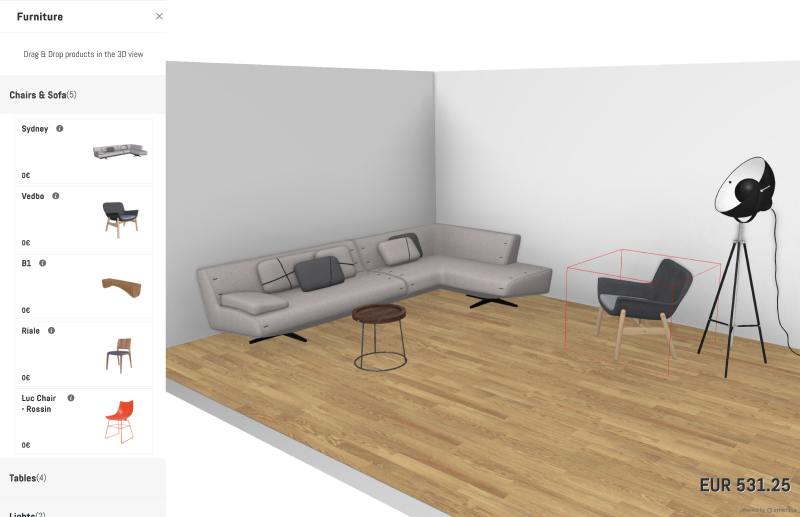
Room or space planners go beyond a single product, making it possible to create a complete environment. Customers can place and arrange multiple products within a space, for example, designing a living room with a sofa, coffee table and shelving, or planning a kitchen or bathroom layout. These tools enhance projection and decision-making, while also driving cross-selling by encouraging customers to build full scenes.
What are the essential features of product configurators?
When you’re evaluating product configurator solutions, it helps to know which product configurator capabilities actually matter for your product and your customers, rather than getting lost in front-end and back-end jargon. Here are the key features of a product configurator to look for, across a wide range of product types.
1. An intuitive, on-brand user interface
This is what the customer or sales team actually sees and interacts with, so it needs to guide them step by step through the configuration process, staying clear and visually aligned with your brand at every stage. A confusing or generic-looking interface undermines confidence in the product itself.
2. Real-time product visualization
Customers expect to see what they’re building as they build it. Whether in 2D, 3D or AR, the visualization should update instantly as different options are selected, helping shoppers make more informed and confident choices before they buy. There are three main approaches to visualization, each suited to a different level of product complexity and customer expectations.

Fixed images
High-quality photographs or static renders work well for simple configurators with a limited number of variations. They’re visually appealing but offer no interactivity and become limiting fast as complexity grows.
3D viewers
3D viewers let customers rotate, zoom and interact with the product to get a real feel for its shape, texture and details, which builds confidence for higher-value or more complex purchases.
Augmented reality (AR)
AR takes this further, letting customers place the configured product in their own environment using a smartphone or tablet, so they can judge size, fit and style before buying.
Each format has its place depending on product complexity, customer expectations and the level of projection needed.
3. A rule-based product logic engine
This is what defines which options exist and which combinations are actually allowed. Without it, customers could configure something that looks fine on screen but can’t physically be built, which creates costly errors further down the line.
4. Dynamic, live pricing
As pricing data for every component, material or custom option is defined behind the scenes, the price should update live throughout the configuration process, not just at the end. Increasingly, customers expect this kind of transparency before they commit.
5. A purchase or quote-ready summary
At the end of the configuration journey, the customer either completes their purchase directly or sends a quote request, depending on whether you’re selling B2C or B2B. This final step typically includes a summary of the configuration, pricing, lead time and sometimes a downloadable spec sheet. For B2B teams, this is often where CPQ logic takes over to generate the formal quote automatically.
6. Integration with your existing tech stack
A configurator is only as useful as the systems it connects to. Integration with your CMS, PIM, ERP, CRM or eCommerce platform keeps product data consistent, supports accurate inventory management and keeps order processing smooth, rather than creating a separate silo of configuration data to manage by hand. Connecting to these configuration systems is what turns a good-looking front end into an operationally reliable one.
What are the benefits of product configurators?
For companies selling complex or customizable products, the main product configurator benefits go well beyond a nicer-looking product page. It’s a strategic asset. Done right, it improves every stage of the sales process, from customer engagement to conversion to fulfillment.

Increase conversions and accelerate decision-making
A configurator transforms passive browsing into active exploration. As customers configure a product step by step, with pricing updates shown live at every stage based on their selected options, they can easily explore all possible configurations and reach a confident decision faster. That usually means a smoother buying experience, increased sales, higher conversion rates and larger average order values.

Reduce product returns and improve customer satisfaction
When customers can see exactly what the final product will look like in their chosen colors, materials and dimensions, they’re less likely to be surprised or disappointed once it arrives. That clarity translates into post-purchase satisfaction and fewer costly returns.

Showcase product complexity and added value
A configurator lets you highlight the richness of your product range without overwhelming the user. Instead of a confusing dropdown list or static catalogue, each feature and component is presented through the configurator’s visual capabilities, so customers can clearly see, understand and appreciate the value of your product.

Lower operational costs and inefficiencies
Say goodbye to dozens of photoshoots, endless spec sheets and constant sales team back-and-forths. A well-integrated configurator helps sales teams by automating repetitive tasks and can automatically create quotes, spec sheets or production files, accelerating everything from quoting to manufacturing processes. It also cuts down on errors linked to manual data entry or miscommunication, and reduces the volume of routine questions that would otherwise land with customer service.

Ensure consistency across all touchpoints
Because the configurator is connected to your product data and visual assets, you can guarantee a unified product image across your website, sales tools, marketplaces or point of sale. That consistency strengthens brand perception and reduces friction between teams.

What industries use product configurators?
The industries using product configurators most successfully tend to share the same traits: product complexity, personalization or a large number of SKUs that make the buying decision hard to get right from a photo alone. This spans everything from retail and manufacturing applications of product configurators to niche B2B categories. Here’s five key sectors for product configurators.
Furniture
Furniture brands use configurators to let customers build chairs, sofas and shelving systems by mixing components, materials, finishes and sizes. The value here is significant: furniture ranges often ship in hundreds of variants and customers cannot physically test most of them in a showroom. A configurator lets them explore the full range confidently from home, while giving the brand one centrally managed way to present a catalog that would otherwise require photographing every combination separately.
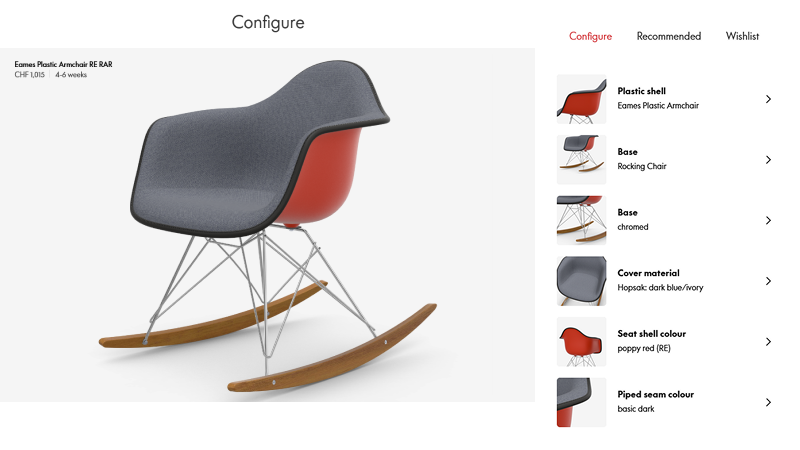
Vitra Eames Chair example
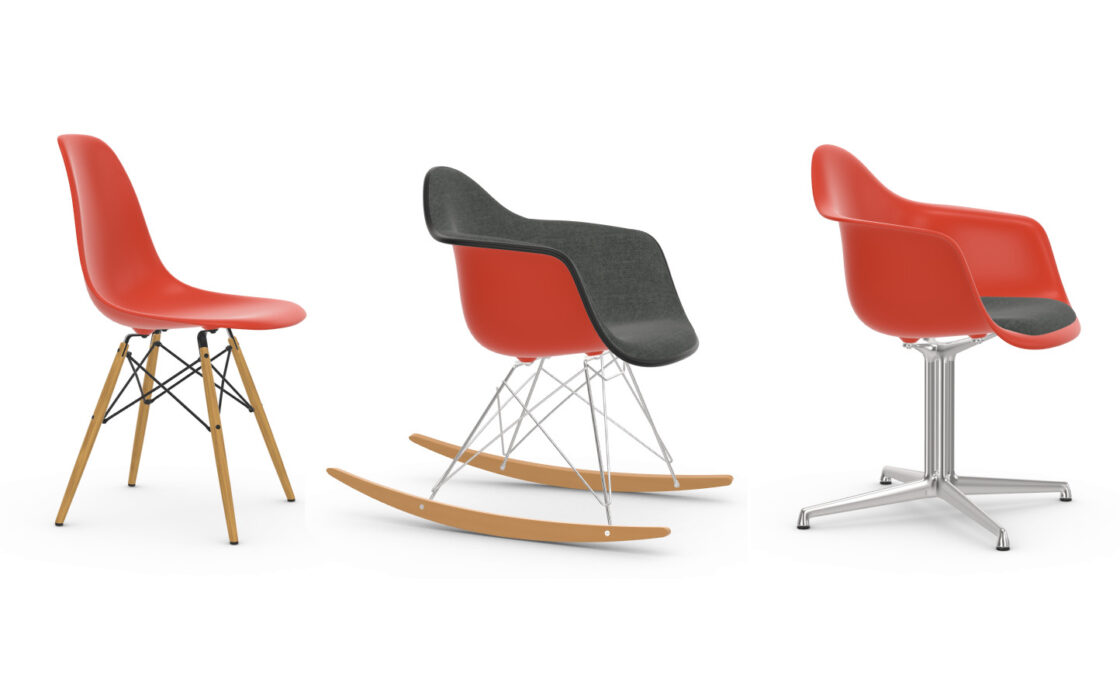
Vitra offers real-time 3D configurators for all their configurable products across their iconic collections: from designer lounge chairs, to modular sofas to ergonomic office chairs. Vitra’s highly configurable Eames Plastic Chair range lets customers choose between different chair bases, seat colors and materials and see their exact combination update in real time. For a catalog with thousands of theoretical combinations, this turns an overwhelming decision into one the customer can navigate confidently in a few clicks.
Sports equipment
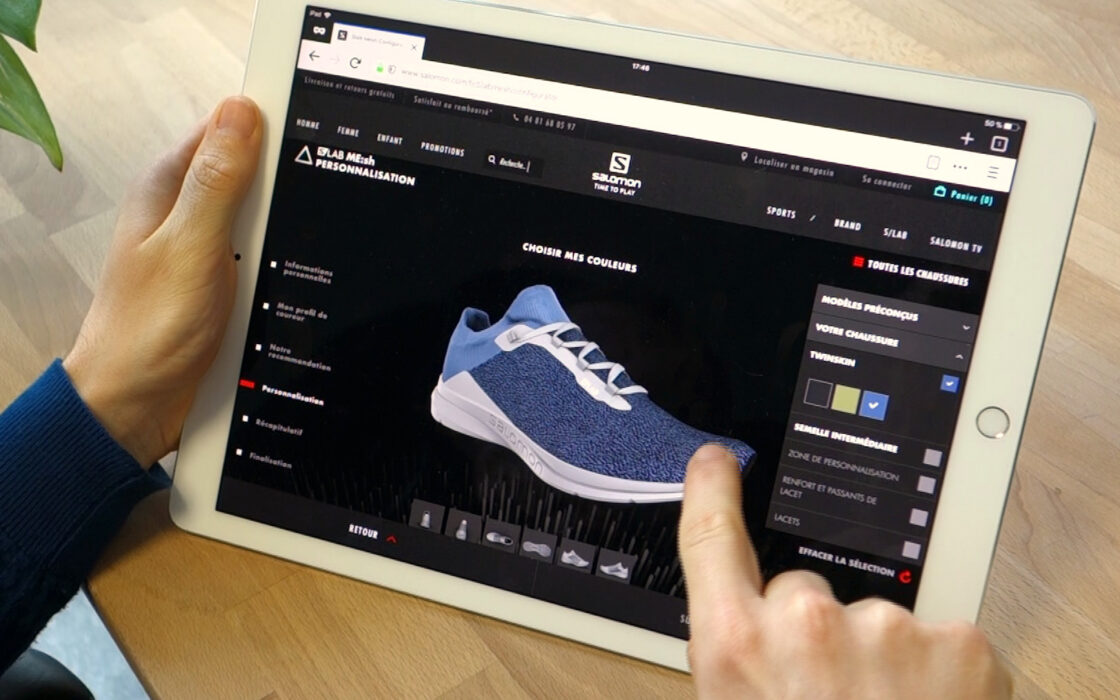
Sports equipment brands use configurators to help customers choose from the available colors, materials and specific product features, and add personal touches such as embroidery, engraving or team and sponsor logos. This matters because performance and protective gear need to match the individual athlete or team’s preferences and requirements precisely. A configurator makes that level of precision possible at scale, without a brand having to physically stock every combination in advance.
Dainese motorcycle suits example
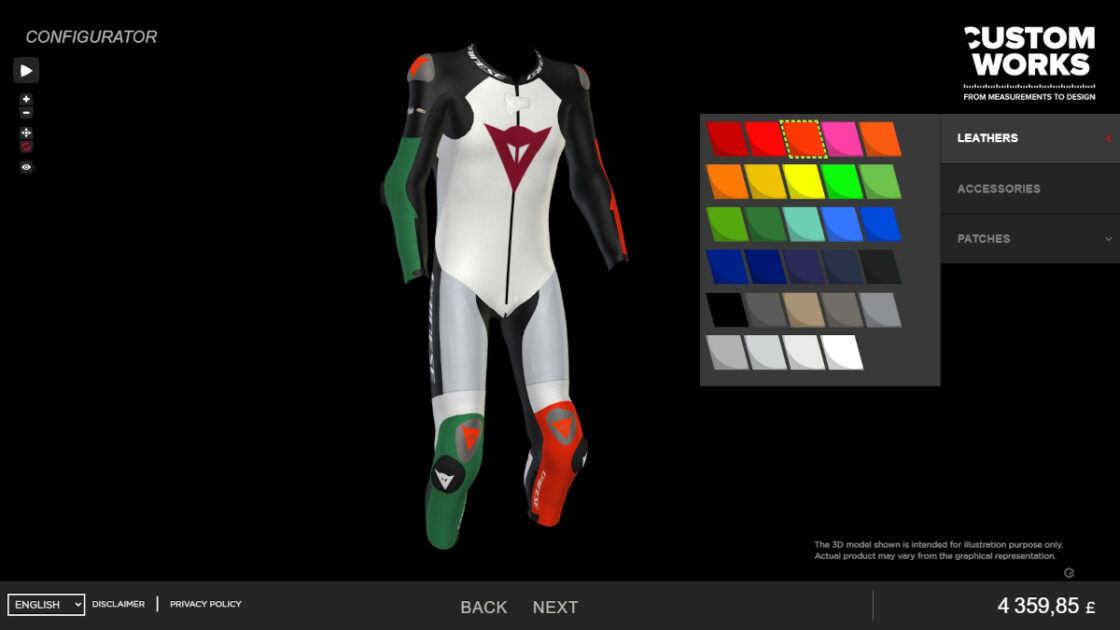
Dainese uses an interactive 3D configurator as part of its Custom Works program, letting customers fully personalize their motorbike suit online: choosing colors and materials for each zone, then applying custom logos and text before it is made to order. With so many possible color, material and logo combinations, the configurator becomes the only realistic way to let customers preview their exact suit and trust it will match what arrives, while dynamic pricing keeps the total cost transparent throughout.
Vehicles
Vehicle brands use configurators to let buyers choose everything from exterior colors and materials to interior layouts and equipment, often across dozens of individual decision points. This matters because vehicles are high-value, highly configurable purchases that most customers commit to without physically testing their exact specification, so confidence in what they are ordering is essential to closing the sale.
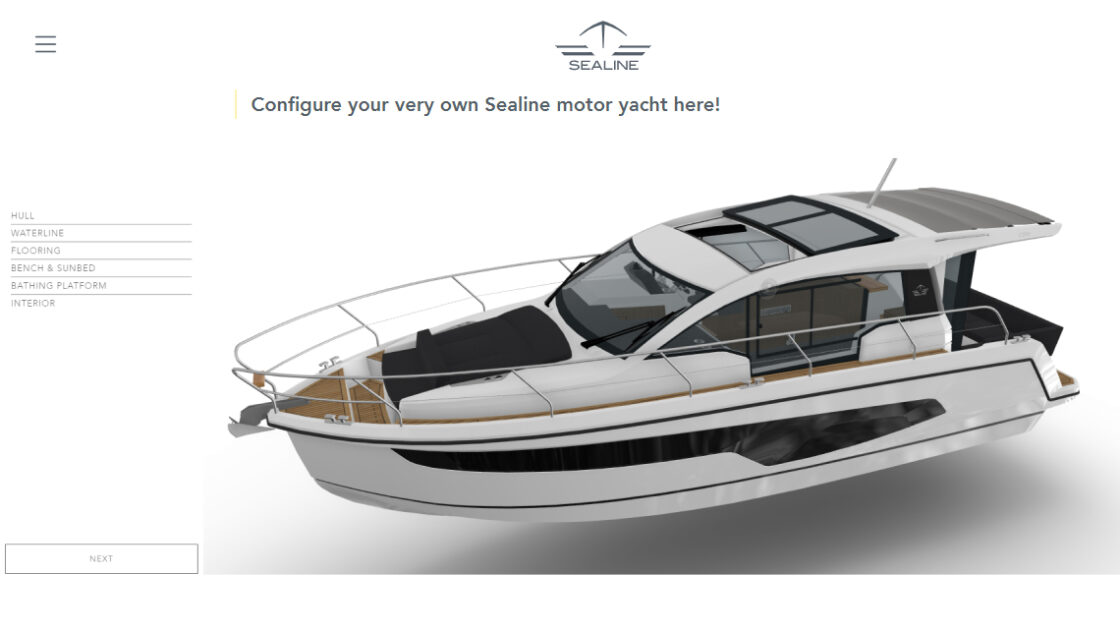
Hanse Yachts example
Hanse Yachts lets customers configure the interior and exterior of its Sealine motor yachts online, in real-time 3D. They can explore the available colors, woods, fabrics and cabin layouts, while moving through the boat from a 360-degree viewpoint. For a purchase this significant, letting buyers preview their exact configuration removes much of the uncertainty that would otherwise stall the decision.
Industrial equipment
In B2B industries and manufacturing, configurators simplify the selection of complex, modular systems that would otherwise require lengthy back and forth with a sales rep to specify correctly. A product configurator for manufacturing environments is especially valuable where the end result depends on the customer’s own space or workflow, since a generic catalog page cannot show how the pieces will actually fit together.
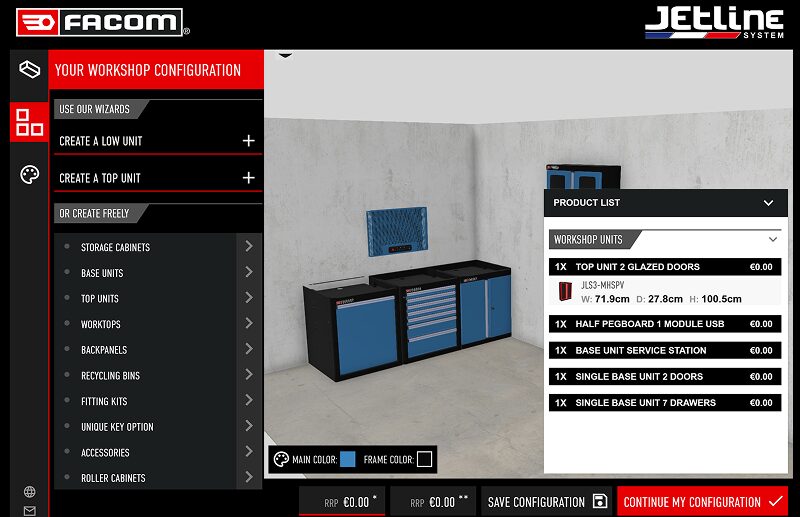
Facom’s wokrshop configrator example
Facom’s Jetline configurator lets customers recreate their own workshop space, then drag and drop storage units, drawers and accessories into it, customizing walls, floors and every individual unit before ordering. With thousands of possible unit and layout combinations, the configurator replaces what would otherwise be a manual, error-prone specification process, letting customers plan their exact workshop layout with confidence before committing.
Corporate gifts
Brands offering personalized corporate gifts use configurators to let business customers apply logos, text and brand colors to products at scale, often for orders that need to match exact brand guidelines. This matters because corporate buyers cannot approve an order on trust alone. They need to see precisely how their logo and colors will look on the finished product before signing off, especially for bulk orders where a mistake is costly to reverse.

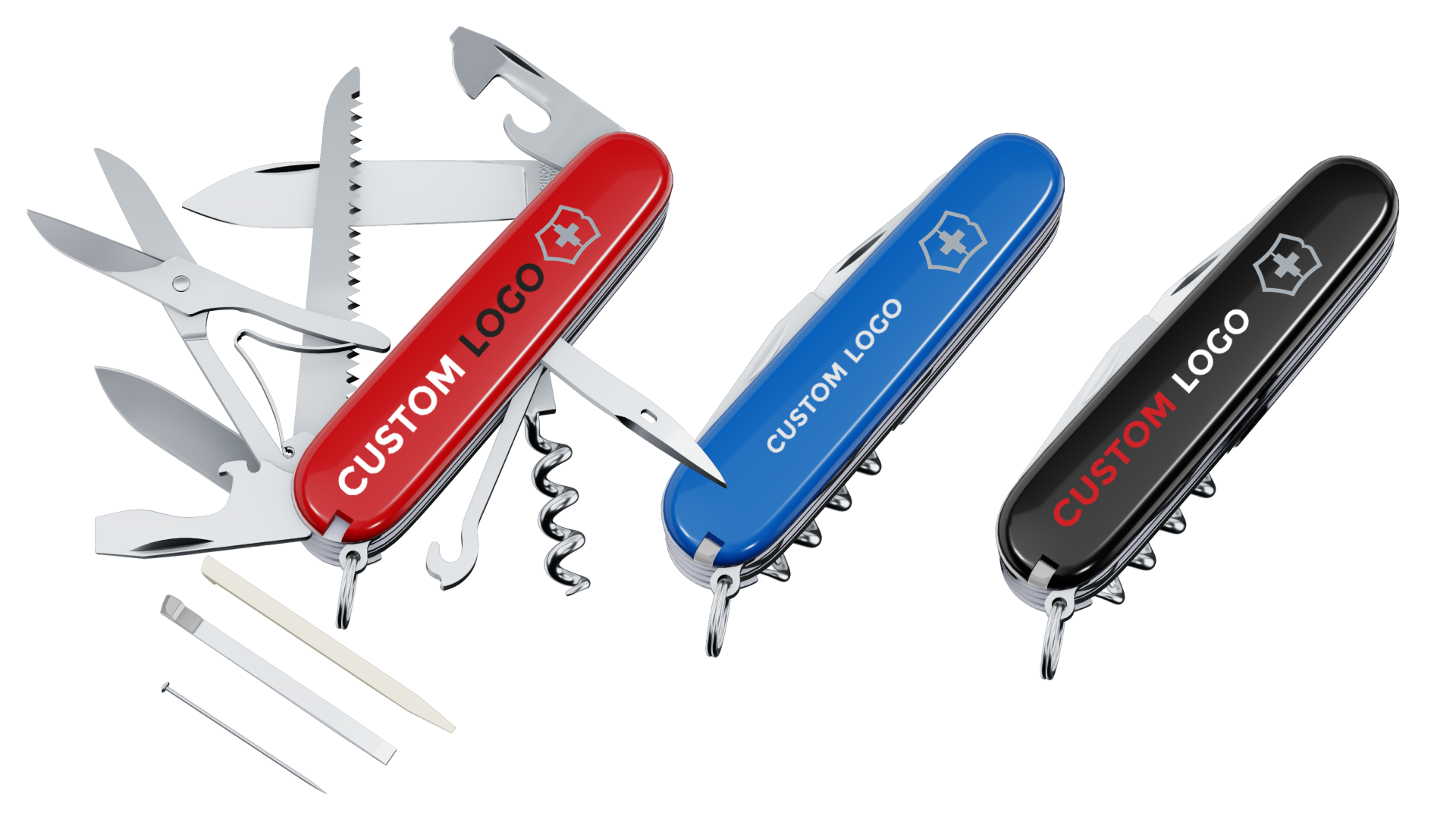
Victorinox’s B2B configrator example
Victorinox’s corporate gifts configurator lets business customers upload a logo, automatically matches it to the correct Pantone codes and previews it directly on the knife, including realistic 3D etching on the blade. At the end of the customization process, the configurator automatically generates the production-ready files and a PDF quote ready to be sent to the client to approve and finalize the order.
What is the role of product configurators in eCommerce?
The importance of product configurators in eCommerce comes down to one thing: they let an online store sell complex, configurable products with the same confidence as a simple, off-the-shelf one. Here’s why that matters, and what it changes for your business.
What makes buying configurable products online risky?
Online shopping always means buying without touching, trying or seeing a product under real lighting. For simple products, good photos close that gap. For configurable products, with dozens of possible colors, materials or components, photos can only show a handful of combinations. The rest is left to imagination, which is exactly why online and offline experiences drift apart, driving returns and disappointment.
How do product configurators close that gap?
A configurator replaces guesswork with a guided, visual decision. Customers see their chosen material, color or component applied to the product instantly, rather than imagining it. The rules engine behind the scenes also ensures they can only build what can genuinely be manufactured, so there’s no gap between what was ordered and what arrives.
Why do real-time 3D and AR matter so much here?
Real-time 3D lets customers rotate, zoom and see how a finish truly looks, something fixed photos cannot replicate. AR goes further, letting customers place the product in their own space, or judge fit against their own body, directly from a phone. For products where texture, proportion or context matter, this level of visual confidence often turns a hesitant browser into a buyer.
What does this mean for your eCommerce business?
Customers who can see and trust exactly what they are ordering convert more readily and more likely to be satisfied with the product that arrives, which is reflected in stronger conversion rates and fewer returns.
The same connected setup also changes what happens after checkout. Because a configuration is structured data rather than a written request, it can flow straight into order management, quoting or production systems. This matters most for made-to-order products, where the sales and fulfillment process would otherwise depend on manual back and forth to confirm exactly what was ordered.
How to create a product configurator?
There’s no single tutorial for how to build a product configurator. The right approach depends on your objectives, your product’s complexity and the resources available to you, whether that’s an in-house development team, an outsourced agency or a ready-to-use platform. At Emersya, we’ve spent years developing product configurators across furniture, sports equipment, luxury and more. In our experience, these are the steps to create a product configurator that actually delivers, whatever your starting point.
Step 1: Define your use case and business objectives
Start with the why. Are you looking to drive online sales, launch a new custom product line or give your sales reps a visual tool to close deals faster? Your use case shapes everything downstream: the type of configurator you need, the level of integration required and which internal teams need to be involved from day one.
Step 2: Prepare your product data and visual assets
A configurator is only as good as the product data and visuals behind it. Before development starts, a fundamental step in developing a product configurator is defining every product option, configuration rule and pricing rule clearly. The number of possible configurations and the complexity of your rules will directly shape how the configurator gets built, as well as which type of product visualization makes sense. Product photography, fixed 3D renders and interactive 3D or AR each come with their own trade-offs in scalability, realism and customer engagement.
Step 3: Choose the right platform or partner
Broadly speaking, there are two ways to build a product configurator: from scratch with an internal or outsourced development team, or on a dedicated product configurator platform. Building from scratch gives you full control over the design, but it demands significant time, budget and ongoing maintenance from your own technical resources, while a platform gets you to launch faster with proven, purpose-built features, though you’ll want to check how much flexibility it actually offers for your specific product. Configurator platforms vary widely in what they support: some are built for specific industries while others offer broader flexibility, so weigh criteria like user-friendliness, visual quality, scalability, integration capabilities and ease of maintenance carefully before committing. For a deeper breakdown of build versus buy, see our guide on how to choose the right product configurator software.
Step 4: Ensure seamless integration with your tech stack
To unlock real operational efficiency, your configurator needs to connect smoothly with your existing systems: CMS, PIM, ERP, eCommerce platform or CRM. This is what enables automated quoting, order generation and centralized data management, rather than leaving your team to reconcile configuration data by hand.
Step 5: Test, launch and iterate
Don’t treat launch as the finish line. Start with a limited scope or an MVP, gather real user feedback, measure performance and iterate from there. A configurator is a powerful tool, but only if it keeps evolving alongside your business, your products and your customers.
What are the trends shaping the future of product configurators?
The fundamentals covered so far will serve any configurable product well today. But the configurator market keeps moving and the bar for what customers expect keeps rising with it, largely driven by three trends worth understanding before you scope a project.
1. Real-time 3D visualization is becoming the standard, not the differentiator
What used to set the best configurators apart is quickly becoming what customers are actively looking for. Real-time 3D makes the experience more immersive and, frankly, more fun to use. It genuinely helps customers make better decisions by showing them exactly how a material or finish behaves rather than asking them to imagine it. The catch is that quality matters enormously here: a real-time 3D experience that looks flat or glitchy undermines trust faster than a good static photo would. This is precisely why Emersya invests in its own real-time rendering engine, built in-house specifically to keep visual fidelity high without the load-time trade-offs that usually come with it.
2. AR is moving from viewing to configuring
Most AR experiences today let customers place an already-configured product in their space. The next step is letting them configure directly within AR itself: adjusting colors, materials or fit while the product is already placed in their room, or in the case of wearable products, directly on their own body through the camera. Emersya is currently the only technology on the market that enables customers to configure a product directly in AR, as well as offering the possibility to configure in 3D first then preview in AR.
3. AI is starting to reshape configurators, in three distinct ways
AI is currently dominating the conversation in every corner of technology and product configurators are no exception. So far, AI is entering the configuration space in several different ways. It’s worth distinguishing between them rather than treating “AI-powered configurator” as a new product category.
- Conversational configuration
Some vendors are experimenting with letting customers describe what they want in plain language instead of clicking through options. It’s an interesting direction, though still early. There isn’t yet enough market data to know whether buyers actually want this and there’s a real risk of customers asking for combinations the underlying product simply can’t deliver. This undermines exactly the kind of trust a configurator is meant to build. - AI-assisted option exploration
Here AI plays a smaller, more practical role: generating instant previews of several color or material combinations at once rather than one at a time, or helping a customer create and vectorize custom artwork so it can be positioned cleanly on the product. The benefits and ROI here are clear as the goal is not to offer a new type of product configurator. It’s to remove the existing friction from the current processes to improve the configuration experience, thus improving conversion and customer satisfaction. - AI-generated contextual visualization
Rather than placing a configured product into the customer’s current physical room through AR, AI can generate an image of the product in a space that doesn’t exist yet, such as a room the customer is still designing or a house they’re planning to buy. It solves the same underlying problem AR does (helping the customer judge fit and feel before committing), but for situations where there is no real space yet to point a camera at.
The distinction that matters here is this: the second and third use cases remove clearly identified friction from the current configuration experience. The first is a guess at how customers would rather configure products. Without tangible market data to support it, it’s a significant investment made on an assumption, not a proven ROI.
Final thoughts: How do you decide if a product configurator is right for your brand?
Why use a product configurator? If your products come in dozens of variations, whether in size, material, components or finish, and customers or sales reps regularly struggle to explore or explain those options, a product configurator is worth serious consideration. It’s not just a digital gimmick. It’s a way to reduce friction, guide buyers through complexity and offer a more tailored and satisfying experience. The right product configurator doesn’t just help customers build the product they want, it becomes a strategic tool for each stage of the product life-cycle: accelerating time-to-market, driving sales, reducing returns, streamlining production and even collecting market feedback for new product development.
Now you know what a product configurator is and what the benefits are, the real question is whether your product, your team and your customers are ready for it, and what that would actually look like for your specific catalog. The next step is evaluation: mapping your use case, your product rules and your existing tech stack against what’s actually available to you. That’s exactly what our free project planning template is built to help you do.
FREE RESOURCE
3D Configurator Project Planning Template
Ready to move from understanding to planning?
Download our free project planning template and map out your use case, product rules and requirements in under 1 hour.

Product Configurator FAQ:
A product configurator is typically customer-facing, it helps users explore options and build a tailored version of a product online. A sales configurator, on the other hand, is used internally by a sales rep to configure complex offers during the quoting process, often as part of a CPQ (Configure, Price, Quote) system.
The key differences lie in the audience and the workflow. Sales configurators are optimized for accuracy, pricing logic and quote generation, not necessarily visual experience. Product configurators focus on engagement, projection and self-service.
That said, both tools share common use cases and can deliver major benefits when connected: faster sales cycles, fewer errors and a smoother handoff between marketing, sales and production.
A key component of a Sales configurator, CPQ stands for Configure, Price, Quote. It’s a software solution that helps businesses accurately generate quotes for complex or customizable products. It brings efficiency and automation to the sales process by combining product configuration, real-time pricing and quote generation in a single workflow. CPQ tools are especially valuable for improving speed, accuracy and operational efficiency in B2B sales environments.
A well-designed eCommerce product configurator can significantly boost sales by enhancing the online shopping experience. It transforms the purchasing process into an interactive journey, allowing customers to explore options, visualize their choices in real time and feel confident in what they’re buying.