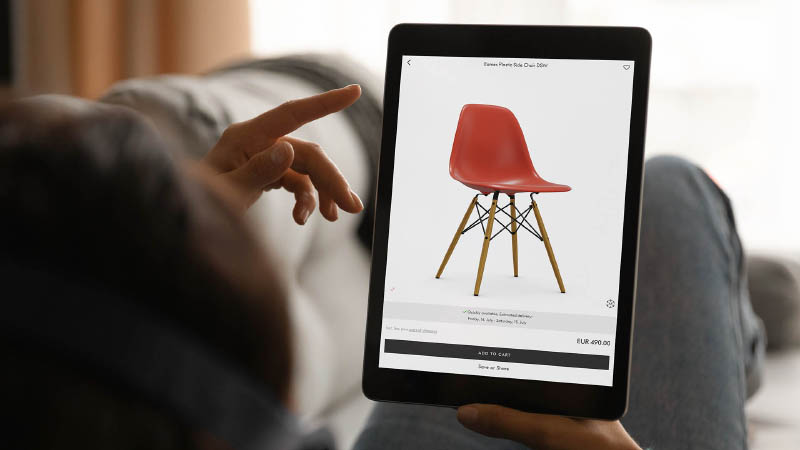

Static product images rarely do justice to a genuinely complex or premium product. Shoppers can’t tell how a mechanism works, what a material feels like or see the innovative internal components that justify the price. That gap between what your product can do and what a product page can show is exactly where interactive 3D product experiences come in. This article breaks down what they are, the features and benefits, how different brands are using them and how to get your first project off the ground.
Key take-aways:
- Interactive 3D product experiences let shoppers rotate, zoom, customize and interact with a product in real time, instead of scrolling through static photos.
- They matter most for complex, technical or premium products, where mechanisms, materials or internal components can’t be properly shown in a photo.
- Formats range from a simple 3D view to interactive guides, exploded views, customization and full 3D configurators, chosen based on what your product needs to communicate.
- Emersya customers see an average 35% increase in conversion rate after adding interactive 3D experiences, with 90% of visitors actively interacting once the experience loads.
- Creating 3D product experiences requires three things: a 3D model, an authoring platform and a 3D viewer to embed the experience on your website.
- Implementation is easiest with a no-code platform like Emersya which removes the need for in-house 3D or development skills.
- Start with one pilot product, measure the impact, then scale the same workflow across your catalog.
What are interactive 3D product experiences?
Interactive 3D product experiences give shoppers the freedom to fully explore a product online. Instead of scrolling through a fixed set of photos, they rotate the product, zoom into details, trigger animations or change colors and materials in real time, directly on the product page. For businesses with complex, technical or premium products, this kind of immersive product showcase is fast becoming the standard rather than the exception.
What makes a product experience “interactive”?
The core difference from a photo, video or even a 360° product spinner is the level of control the customer has. A photo shows the product from angles someone else chose. An interactive experience empowers shoppers with the choice to explore the parts of the product that interest them most. Rotate to see the back. Zoom in to check a seam. Click a hotspot to learn what a component does. This kind of interactive content turns a passive scroll into an engaging shopping experience, closer to picking the product up in a showroom than to skimming through a catalog.
The most common interactions include:
- Full 360-degree rotation and zoom
- Clickable annotations or hotspots that reveal product details
- Triggered animations that demonstrate how a mechanism or feature works
- Real-time color, material or component changes
- Augmented reality placement, viewing the product in the shopper’s own space
Why do interactive 3D product experiences matter for complex products?
Static photography works well for simple products. It struggles the moment a product has moving parts, hidden components or a level of craftsmanship that only shows up close. The internal structure of state-of-the-art headphones, the different adjustment options of an ergonomic office chair or how all the different accessories of a hand blender work, are all things that can’t be shown in a photo.
This is often where the gap between the online and offline customer experience is widest. A shopper handling a premium product in store can feel the weight, see the finish catch the light and try out any innovative features to fully understand what they are paying for. A shopper looking at four photos online and a product description (however compelling) has to essentially take the brand’s word for it.
Interactive 3D product experiences close that gap. They give shoppers the same freedom to explore online that they would have in person (and sometime even more), enabling them to gather all the relevant information and necessary confidence to make an informed purchase.
What tools are used for 3D product visualization?
Two core technologies are needed to create an interactive 3D product experience. The first is the 3D authoring platform you use to build, manage and deploy the experience itself. The second is the 3D product viewer, embedded in your product display page that loads your interactive experience directly in a browser. When looking to create effective immersive experiences, you will need to understand and evaluate both technologies.
What is a 3D authoring platform?
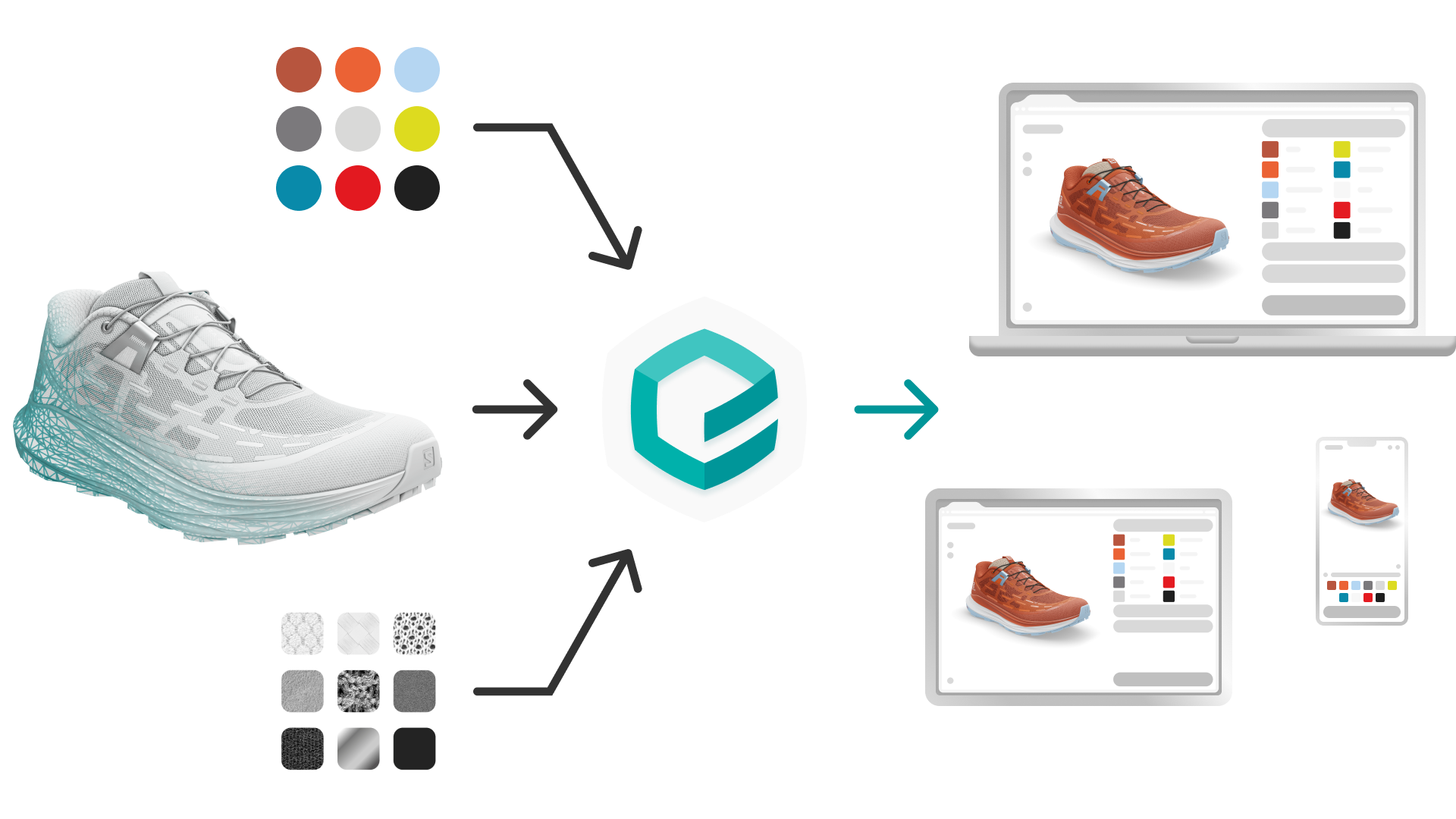
A 3D authoring platform is the product visualization software your team uses to turn a 3D model into a finished, deployable experience. This is where you upload assets, configure materials and colorways, add annotations or triggered animations and publish the result as an embeddable viewer or configurator.
The best platforms don’t require a developer or a 3D specialist for day-to-day use. Easy-to-use, no-code authoring platforms, like Emersya, let marketing and product teams manage their own interactive 3D models directly. They can update a colorway, add a new variant or publish a new experience without waiting on an engineering queue, keeping every asset in sync as the product library changes.
What is a 3D product viewer?
A 3D product viewer is the embeddable window on your product page where the interactive experience actually lives. Once your 3D authoring platform has published an experience, the viewer is what loads it, renders it in real time and enables customers to explore your product from every angle, directly on your product display page.
Think of it as a player for your 3D experience, in a similar way to a YouTube or Vimeo player for video. The platform manages, hosts and updates the content upstream, while the viewer’s only job is to display it quickly and reliably, wherever you choose to embed it.
What web technologies power real-time 3D rendering?
The viewer’s real-time performance comes down to two underlying web standards: WebGL and HTML5.
WebGL uses the visitor’s own graphics hardware to render the 3D model directly in the browser, so every rotation, zoom or color change happens instantly rather than loading a new pre-rendered image. HTML5 is what lets that rendering run natively on any device, desktop, tablet or mobile, without a plugin or app download.
Together, these two standards are why a modern 3D product viewer feels as fast and responsive as scrolling through a photo gallery, despite doing far more.
This matters for your evaluation. If a provider’s demo requires downloading software or only works on certain browsers, the underlying technology probably isn’t built for the kind of scale a real product catalog demands.
What are the different types of interactive 3D product experiences?
Interactive 3D product experiences aren’t one single format. They range from a simple viewer someone can rotate and zoom, all the way to a full configurator that builds a personalized product in real time. Which one makes sense for you depends on your product and what your customer needs to understand before they buy.
Which interactive 3D experiences help customers explore and evaluate products?
Here are examples of the types of 3D experiences typically use to showcase products directly on an eCommerce site. They are designed to help a shopper explore, understand or personalize a product before adding it to cart. They can also be used in retail stores on large tablet devices to enhance the instore shopping experience.
Simple 3D product views
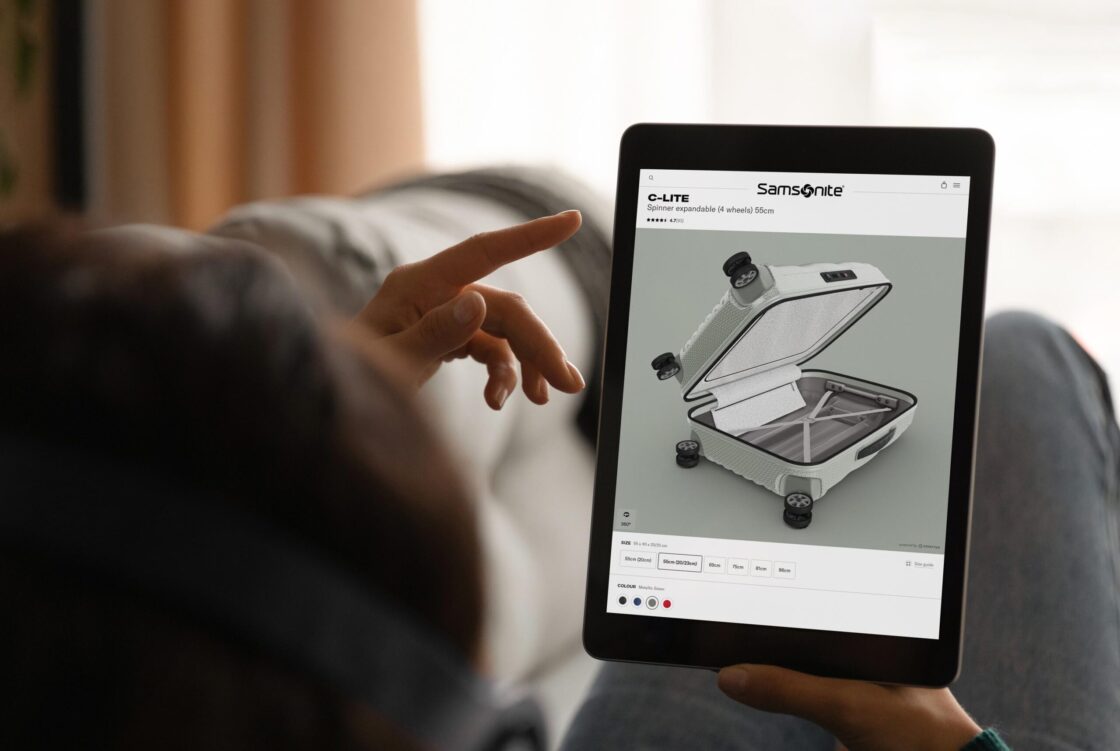
The most fundamental format: a fully interactive 3D model your customer can rotate and zoom into from every angle. There’s no configuration or animation involved, just the freedom to inspect the product as if it were in their hands. For a premium or highly crafted product, this alone can close a gap that photos never could.
Vacheron Constantin uses a simple interactive 3D view to let shoppers explore their most intricate watches across their different ranges from every angle and zoom in on the exposed mechanism, delivering the photo-realistic presentation a luxury watch demands online.
Try out the Vacheron Constantin Traditionnelle watch 3D experience
Interactive product guides with dynamic annotations
Clickable hotspots placed directly on the 3D model reveal information about specific features or components as the customer explores them. It works like a guided tour of the product, letting shoppers actively discover into the details that matter most to them rather than scrolling through a long, wordy description.
Salomon places interactive hotspots on the Speedcross 6 to explain its technical materials and innovative features, guiding shoppers through the same discovery a specialist retailer would offer in person.
Explore the Salomon Speedcross 6 in Interactive 3D
Try-before-you-buy experiences with triggered animations
Triggered animations bring a product’s function to life, showing a door opening, a mechanism engaging or a feature in action, directly within the 3D experience. This is especially valuable for products whose value only becomes clear when they’re actually being used.
Whirlpool empowers consumers to try out the different features on their small kitchen appliances online, using triggered animations: from make toasted sandwiches to testing all the different accessories for their hand blender.
Discover the full Whirlpool small domestic appliances success story
Interactive storytelling experiences
Some products carry a story worth telling, the craftsmanship behind them, the materials used or the process involved. This format weaves that narrative directly into the 3D experience, combining visuals and information into a single, immersive product journey rather than separating them across different parts of a page.
Gemmyo’s Lady Diamond Ring deserved an interactive product discovery experience to immersive customers in it’s unique story while allowing them to admire it from every angle as they would in a store.
Discover the Gemmyo diamond ring’s story in Interactive 3D
Interactive digital user instructions
Rather than passively reading a manual or watching an instructional video, customers can interact with the 3D model itself to learn how to use or adjust a product. This is particularly effective for products with multiple settings or adjustments, where a real demonstration says more than written steps ever could.
Vitra replaced the standard manuals for its Pacific office chair with an interactive 3D tutorial, letting customers discover exactly how each adjustment works interactively.
Discover the full Vitra office chairs success story
Exploded views
An exploded view separates a product’s components visually, showing how the different parts fit and work together. For technical or engineered products, this provides a “Wow” effect and makes it possible to demonstrate a product’s internal complexity / innovation, normally invisible to a shopper, as a genuine selling point.
Jones uses an exploded view to separate its snowboard bindings into their individual components, turning technical complexity that once needed five or six photo angles into a single, self-explanatory animation.
Discover the full Jones snowboard bindings success story
Online product customization
3D product customizers empower customers to add their own touch to a product (like a monogram, an engraved text or a custom image) and see the result rendered in real-time 3D before ordering. This turns customization from a guessing game (or a long custom quotation process) into a confident purchase decision, since the customer sees exactly what they’re going to receive.
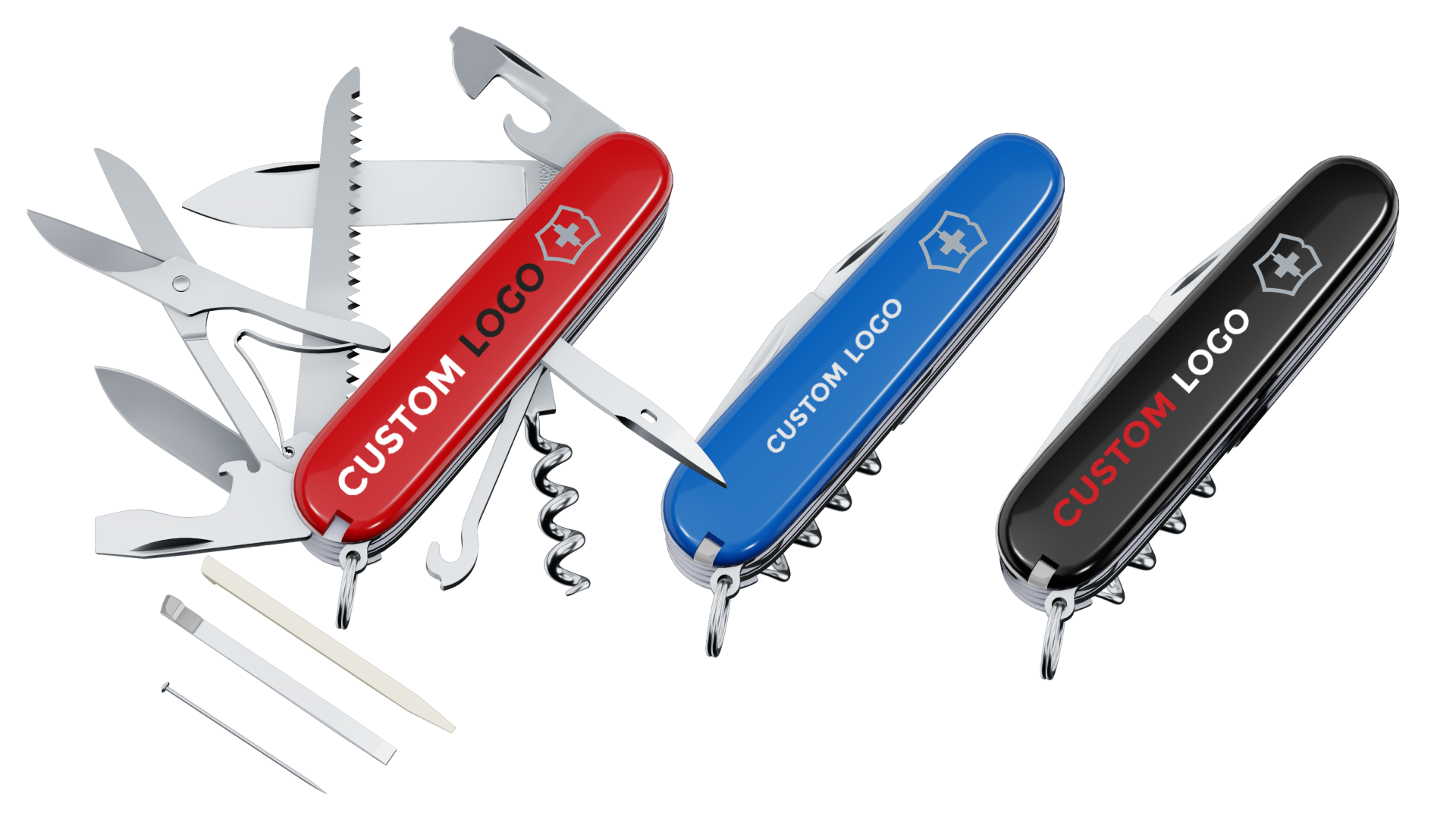
Victorinox lets corporate customers upload logos and text, choose Pantone colors and see the personalization rendered in real time directly on their iconic swiss army knives, before requesting a quote.
Discover the full Victorinox success story
3D product configurators
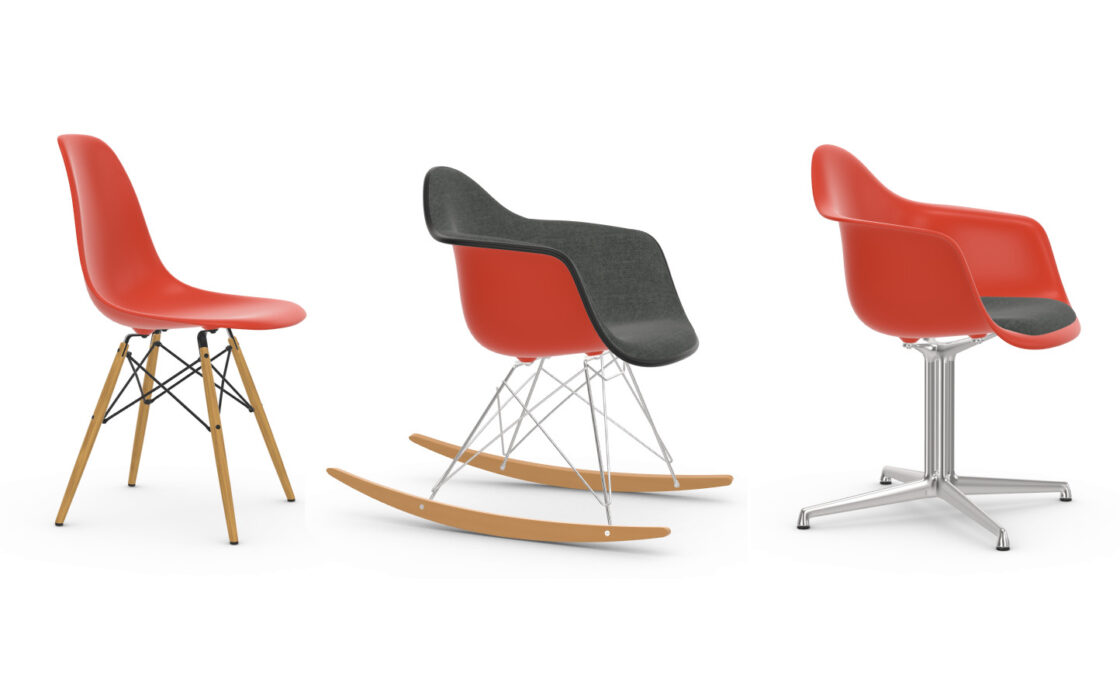
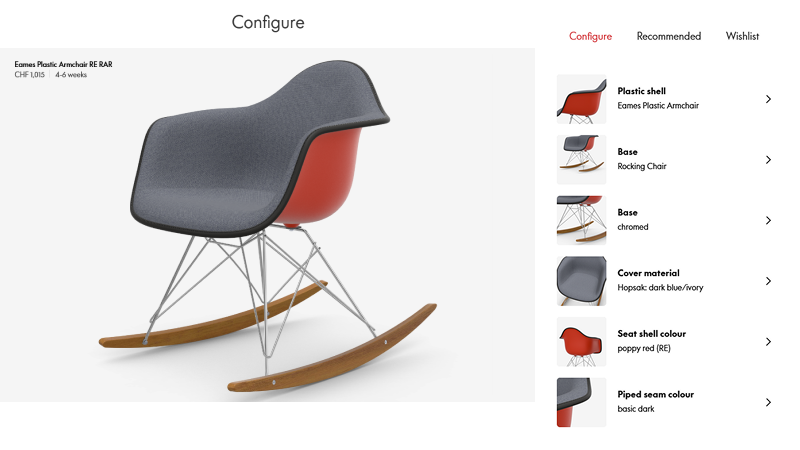
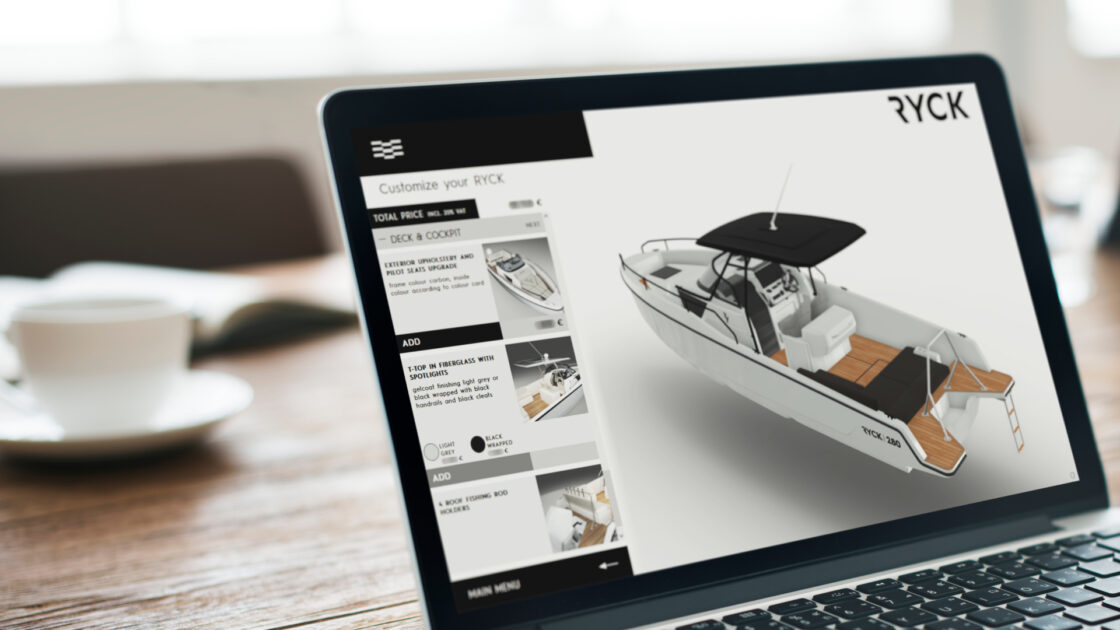
A configurator lets customers build their own version of a product by choosing between predefined options, materials, components or finishes, watching the model update in real time with every choice. It’s the format best suited to products with a genuinely large number of possible combinations, such as furniture.
Vitra’s 3D product configurator empowers shoppers to combine bases, seats and colors from billions of possible combinations, updating the 3D model, price and delivery estimate in real time with every choice.
Discover the full Vitra Eames configurator success story
How can interactive 3D support product design and review teams?
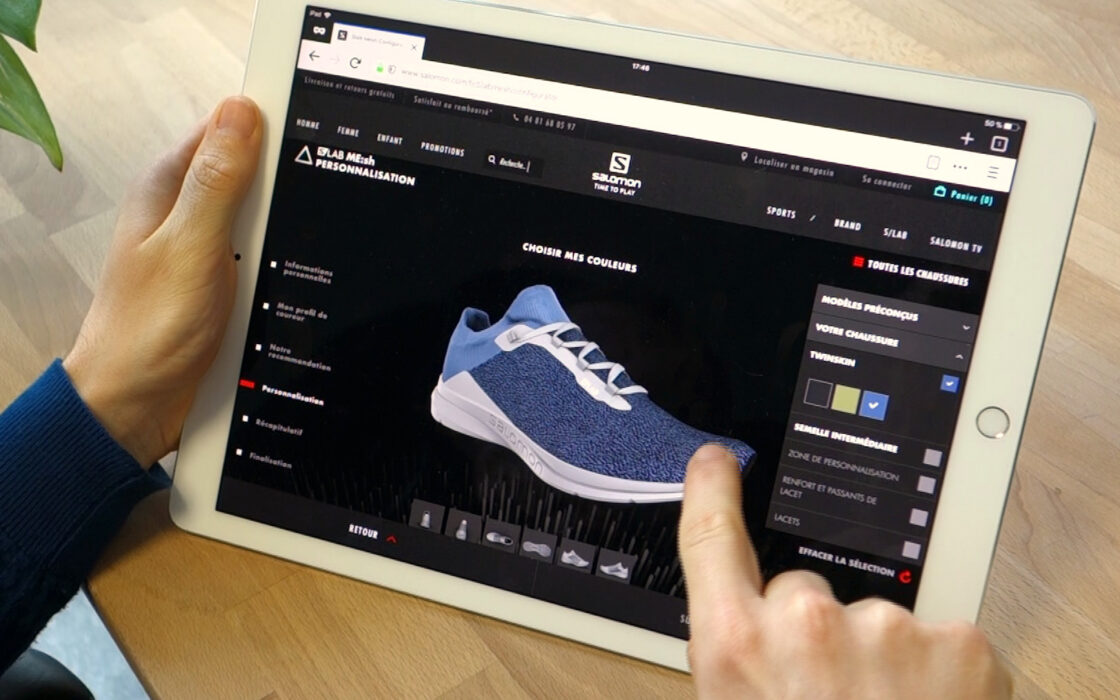
Interactive 3D isn’t only a customer-facing tool. The same 3D assets can support your internal teams during product development, letting designers, product and marketing teams create, share and review new product variants online, before a single physical sample exists. Colorways, materials and configurations can be evaluated and approved collaboratively, cutting the back and forth that normally comes with physical prototyping workflows.
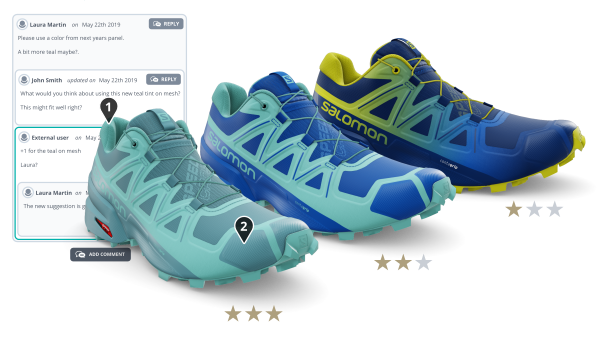
Salomon uses Emersya’s Collaborative Product Design solution to design, review and approve new shoe colorways online with its design, marketing and sales teams. This has massively reduced its reliance on the tens of thousands of physical samples it used to produce every year. The Emersya platform enables Salomon to generate both manufacturing data and product images directly from the 3D assets, significantly reducing time to market.
Discover the full Salomon collaborative product creation success story
What are the benefits of implementing interactive 3D experiences?
The case for interactive 3D product experiences isn’t just intuitive. It shows up directly in how shoppers behave once the experience is on the page and how it boosts sales.

How do interactive 3D experiences increase consumer engagement?
Shoppers don’t just glance at an interactive 3D experience, they actively use it. Across Emersya’s customer base, an average of 90% of visitors interact with a 3D experience once it has loaded, spending an average of 1 minute 45 seconds exploring it (a figure that excludes product customization experiences, where customer engagement runs considerably higher). That level of interaction (rotating, zooming, exploring) is exactly what turns a passive scroll into a genuine shopping experience, closer to handling the product in person than browsing a photo gallery.
For brands with complex or premium products, this extra time and attention matters. An interactive 3D experience tends to be more memorable and more useful than the traditional product images most competitors still offer, creating a deeper connection with the brand. That connection keeps shoppers on the site longer and coming back more regularly, exploring other products in the same range rather than closing the tab to compare elsewhere.

How do interactive 3D experiences increase conversion rates?
Engagement is only valuable if it translates into sales. The data suggests it consistently does. Emersya customers have seen an average 35% increase in conversion rate on product pages after incorporating interactive 3D and AR product experiences.
There are 2 main reasons for this. The first we have already discussed: allowing customers to fully explore products, inside and out. This understanding gives them the necessary confidence to make an informed purchase.
The second is more subtle. It is a psychological effect that comes from being able to try a product before you buy it. Rotating a watch to catch the light, opening a juicer to see how it comes apart or triggering a chair’s adjustment mechanisms all let customers picture themselves actually using the product, not just reading about it. That shift, from imagining a product to experiencing it, is often what turns hesitation into a confident purchase.

How do interactive 3D experiences reduce returns?
Most returns come down to one simple problem: what arrived didn’t match what the customer expected. A customer who has rotated a product, zoomed into its materials or tried out its features already has a clear, accurate picture of what they’re ordering. This matters most for complex or premium products, where the details: the ease of use, mechanisms or exact colors or finishes, are often what the customer cares about most and exactly what a handful of photos fail to convey.
When those details are clear from the start, customers are far less likely to be surprised or disappointed when the product arrives. Fewer surprises reduce the likelihood of returns.

How do interactive 3D experiences build customer satisfaction and loyalty?
Customer satisfaction with interactive 3D product experiences builds from several benefits already covered, rather than from any single feature on its own: a more engaging shopping experience, a genuine connection with the brand and a final product that matches what was promised online.
Put together, these effects compound into something bigger than each one individually. A customer who enjoyed exploring a product, felt more connected to the brand while doing so and then received exactly what they expected is naturally more satisfied with the whole experience, not just the product itself.
That satisfaction is what drives loyalty. A shopper who trusts a brand to represent its products accurately online and to make buying decisions easier is more likely to recommend them to a friend. For brands with wide or evolving product ranges, that trust translates into customers who return time and time again, exploring new products with the same confidence they had the first time.
How do you create interactive 3D experiences?
3D content creation comes down to three things: a 3D model of your product, a platform with the right features to turn that model into an engaging and informative shopping experience and a 3D viewer to embed that experience into your website.
How do you create a 3D model of your product?
Every interactive 3D product experience starts with a 3D model. How you create one shapes what you can do with it later. There are 2 main methods:
1. 3D scanning
This is the fastest route. Using a mobile device or a dedicated scanner, you can capture a product’s shape and surface details in minutes rather than hours or days. It’s well suited to creating models in bulk across a large catalog, but the resulting model is often static: fine for a simple 3D view, less suited to animations or configurators that need clean, editable geometry.
2. 3D modeling software
This method takes longer and typically requires a trained 3D designer, either in-house or outsourced. It’s more labor intensive and more expensive per model, but the result is a fully editable, production-ready asset. You can use this asset for the richer experience types covered earlier: triggered animations, exploded views or a configurator with multiple interchangeable parts.
The best approach for your company will depend on your product catalog. Scanning fits large ranges of simpler products. Modeling software fits complex or configurable products, where the model needs to support more than a simple 3D view with annotations.
It is essential to keep in mind that good 3D models and digital materials are the foundation everything else is built on. A model that hasn’t been properly optimized, or materials that don’t accurately represent your real textures and finishes, will show up immediately once customers start rotating and zooming into the experience. This is worth investing in properly from the start, whether that means training / hiring an internal 3D specialist or working with an external agency or 3D partner that already has the necessary expertise.
How to choose the best 3D authoring platform?
Once you have a 3D model, you need an authoring platform to create the interactive experience you’ll embed on your website. To make the right choice, evaluate three things: the experiences you want to create, who will be creating them and how well the platform scales with your strategy.
1. What kind of product experiences do you want to create?
Make sure the platform offers features that let you create the experience that will show your product in its best light. When evaluating platforms, check they have examples of similar product experiences for products in your industry, or better yet, ask for a personalized demo using your own 3D assets to see how easy it actually is to create the experience.
2. Who will be creating your experiences?
The type of user will tell you who the platform needs to be built for. Some platforms require genuine 3D or web development skills to operate, which means every update has to go through a specialist or a developer. Others, like Emersya, are built with a no-code interface specifically so that product, marketing or eCommerce managers can create, update and publish experiences themselves, without waiting on a technical team.
3. How well does the platform scale with your 3D strategy?
A single 3D experience for a best-selling product doesn’t have the same requirements as uploading 3D assets for tens or hundreds of SKUs. If your goal is to integrate 3D into multiple product pages or parts of your business (for example product photography or even product design and development), you’ll need a platform and subscription model that grows with you. The Emersya Platform, for example, is built to scale this way, letting you manage a growing 3D asset library across every project as your catalog and use cases expand. You can even set up libraries for your lighting, sceneries, 3D viewer interfaces and more, to deploy and instantly update them across all synchronized projects.
What are the key features of a 3D viewer?
The viewer is what your customer actually interacts with, so its quality determines how much they engage with experience you created. A few features are non-negotiable.
Visual quality and fluidity come first. Beyond being fast loading, a 3D viewer needs to render materials, textures and lighting realistically, while staying perfectly smooth as the customer rotates or zooms, on any device. A viewer that looks great in a demo but stutters on a customer’s phone will do your product more harm than good.
The viewer should also be easily embeddable on any CMS or eCommerce platform you use, whether that’s WordPress, Shopify or a custom-built site, without requiring a full rebuild of your product pages. Because shoppers browse on every kind of device, it also needs to be fully responsive, adapting cleanly from a wide desktop screen down to a small phone display.
Finally, if you sell internationally, a multi-language ready viewer lets you localize annotations, instructions and interface text for each market, rather than limiting your 3D experiences to a single language.
These four criteria are a starting point. For the full picture, including security, AR support and scalable infrastructure, see our 7 key points for choosing an online 3D viewer.
What’s the best strategy for implementing interactive 3D product experiences?
Knowing the value interactive 3D product experiences can bring is one thing. Successfully rolling them out is another. A focused pilot, followed by the right platform criteria as you scale, gives you the best chance of getting there smoothly.
How should you pilot your first interactive 3D product experience?
Rather than attempting to convert your entire catalog at once, start with a single, well-chosen product. A best seller with genuinely complex or innovative features, the kind that struggle most with static photos, makes the strongest proof of concept, since it’s exactly where an interactive 3D experience should show the clearest impact.
Use this first project to establish your workflow: how you’ll prepare 3D models, which platform features you need and how the experience gets embedded and maintained. Getting this right on one product is far easier than troubleshooting it across fifty.
Once the experience is live, measure its impact. Run an A/B test if your traffic supports it, or compare before-and-after analytics on the same product page, to see the direct impact on engagement, conversion rate and returns. With a clear, measurable result in hand, scaling the same workflow across the rest of your product range becomes a calculated decision rather than a leap of faith.
What should you look for as your 3D strategy scales?
You’ve already seen what to evaluate when choosing an authoring platform: the experiences you want to create, who will be building them and how well the platform scales with your catalog. As your 3D strategy grows beyond a single pilot product, a few more criteria become important.
Security matters more once real customer traffic and real revenue depend on your experiences staying online and your 3D assets staying protected. Look for a platform that encrypts your models and controls access at the project level, so your product designs can’t be downloaded or copied by competitors.
Centralized asset libraries become essential once you’re managing more than a handful of products. Materials, lighting set-ups and viewer interfaces should live in one place and update everywhere they’re used, rather than needing to be re-applied to every product one by one. Combined with proper version control, this lets your team publish updates, roll them back if needed and keep every product experience in sync without manual rework.
Finally, look for a platform that lets you get more value from the same 3D assets beyond the product experience itself. The Emersya Platform empowers you to use the same models for your product page to auto-generate 3D product photography, support collaborative design reviews between your product and marketing teams or, for personalized products, automatically manage custom orders and generate the production files needed to manufacture them. The more of your product lifecycle a single set of 3D assets can support, the further your initial investment stretches.
Getting your brand ready for the future of online shopping?
Interactive 3D and AR product experiences aren’t new. They’ve been part of digital marketing’s evolution for the better part of five years, moving from an experimental feature a handful of premium brands tested to something consumers now actively look for. 84% of consumers say they’re interested in using augmented reality to interact with a product before buying it1, a clear sign that static images alone no longer meet what shoppers expect from an online product page.
The results brands are seeing, such as stronger engagement, higher conversion rates, reduced returns and greater customer satisfaction, are all products of the same transformation of the shopping experience. When shoppers can explore a product properly before buying it, they make more informed purchasing decisions.
For brands with complex, technical or premium products, bringing 3D commerce into your product pages (and increasingly into physical retail spaces too) is fast becoming part of what it means to get ready for the future of online shopping.
At Emersya, we’ve spent over a decade helping brands and manufacturers, from ambitious start-ups to global names, use interactive 3D and AR to showcase their products online and in-store. Whether you’re just exploring the possibilities or ready to scale a 3D strategy across your entire catalog, our team can help you find the right starting point.
Book a free 30-minute discovery call with our team to talk through what an interactive 3D product experience could look like for your products.
Frequently Asked Questions
Interactive 3D product visualization is the technology that lets shoppers explore a product in real-time 3D directly in their browser, rotating, zooming and interacting with it rather than viewing flat photos. It relies on interactive 3D rendering, powered by web technologies like WebGL, to generate every angle, color or configuration instantly rather than loading pre-shot images. This kind of real-time product rendering is what makes an interactive 3D product experience possible.
Yes. The same interactive 3D experiences you embed in online stores can also be deployed directly in physical stores, typically on tablets or large in-store displays. They offer customers a new way to experience products, for example exploring internal components through exploded views or enjoying immersive story-telling. They also give sales associates a tool to showcase products, configurations or customization options that would be impossible to stock physically. This is particularly useful for retail stores with limited floor space or products with a large number of variants, where displaying every option in person simply isn’t realistic. Since the experience runs from the same 3D assets used on your website, updates made online are reflected instantly in-store too.
Interactive 3D product visualization works well across almost any industry selling physical products, but it delivers the most value for furniture, footwear, apparel and other product categories where material, fit or size are hard to judge from traditional flat images. Manufacturers and commerce brands with large or frequently changing product catalogs also benefit, since realistic 3D rendering scales far more affordably than reshooting every variant.
For smaller businesses, platforms like Emersya make it possible to offer a level of visualization that used to be reserved for enterprise budgets. Larger organizations looking to scale their 3D strategy are using Emersya to standardize product displays across online stores, retail locations and distributors. In every case, the goal is the same: replace guesswork with a realistic preview that helps customers make a confident purchasing decision, whatever they’re buying.
- Stat source: 2022 Ipsos Augmentality Shift Study, commissioned by Snap Inc. forbusiness.snapchat.com/augmentalityshift-us ↩︎